
The “Current Post” feature in TaxoPress allows you to customize the displays of terms for single posts.
You access this feature in your WordPress dashboard by going to TaxoPress > Current Post.
Example of Terms for Current Post #
The image below shows an example of Terms for Current Post. This display is separate from any default display of terms in your theme. The image below shows the terms created by the TaxoPress “Current Post” feature on a post.

Edit or Add New Terms for Current Post #
On the “Current Post” screen, you’ll see all your displays. You can click the title or the “Edit” link to edit the settings for this existing display.
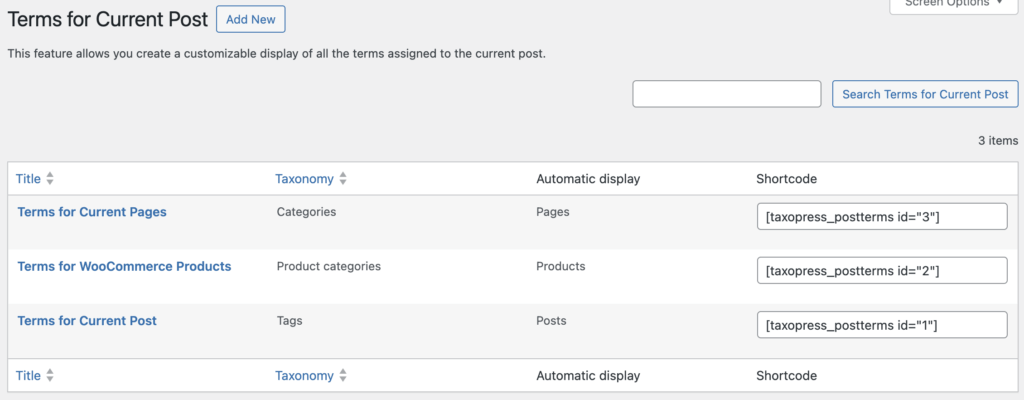
On the “Current Post” screen in the Pro version of TaxoPress Pro, you can click “Add New” and add your own display.
Editing Terms for Curent Post #
Inside each display you will find a preview, and a large number of customization options, as shown in this screenshot below.

The following guides have more details on how you can control the appearance of this feature: