
Table of Contents
The “Current Post” feature in TaxoPress allows you to change the format of the tags display. There are also further options that you can customize.
Choose Terms #
The settings under this tab allow you to choose which terms will appear in your display, and how they will be sorted.
The “Method for choosing terms for display” option has an integration with the Term Order feature in TaxoPress Pro.

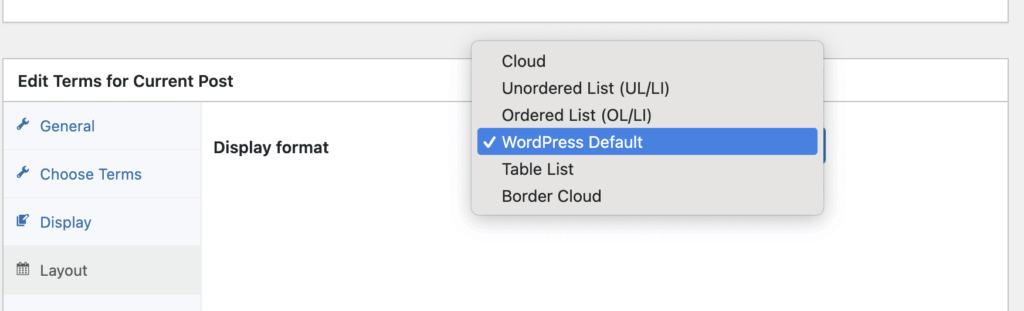
Layout #
The Layout tab allows you to choose from several default designs for your Current Post display.
Design #
These settings allow you to customize design aspects of your display.

Options #
These settings allow you to customize text aspects of your display.
- Post term separator string: This will separate each term that is displayed.
- Text to display before terms list: This will appear before all the terms.
- Text to display after terms list: This will appear after all the terms.
- Text to display if no terms found: This will appear if no terms are available.
- Hide display output if no terms?: This will hide the whole “Terms for Current Post” feature if not terms are attached to this post.
