
You can choose any URL to use with the Auto Links feature.
By default, Auto Links can automatically add links to your terms when they’re inside posts. These links will go to the archive page for that term. Those archive pages are located at URLs like this: /tag/term/ or /category/wordpress/.
You can override that with any URL you wish. Here’s how to enable that feature.
- Go to Auto Links.
- Edit your configuration.
- Click the “Link Types” tab.
- Enable the Custom URLs option.
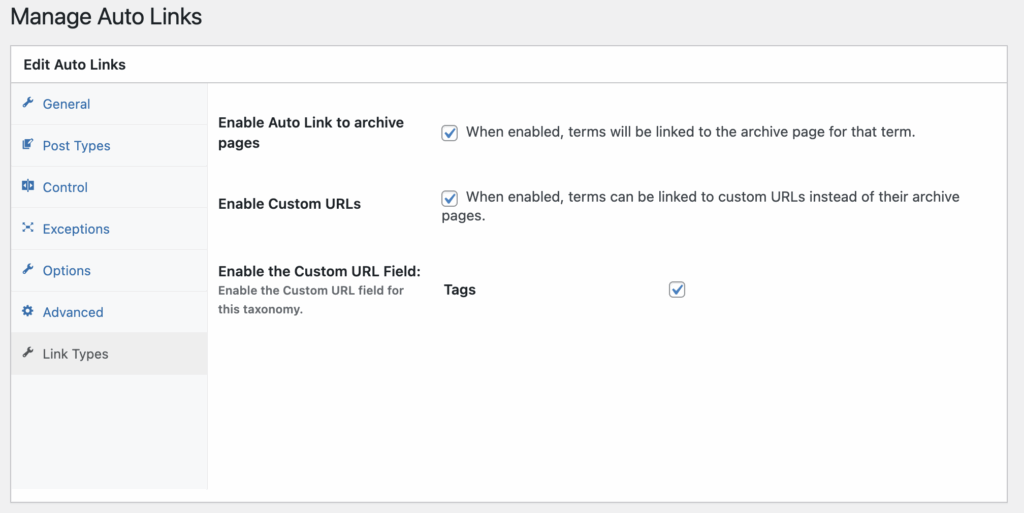
Now you can choose any destination URL you want. Here’s a comparison:
- Term: WordPress
- Default link: https://taxopress.com/tag/wordpress
- Custom URL link: https://wordpress.org
This screenshot shows the “Custom URL” field where you can add your choice of URL.
