
WordPress does not have the ability to copy taxonomy terms. However, that is possible with the TaxoPress plugin.
How to Copy Terms #
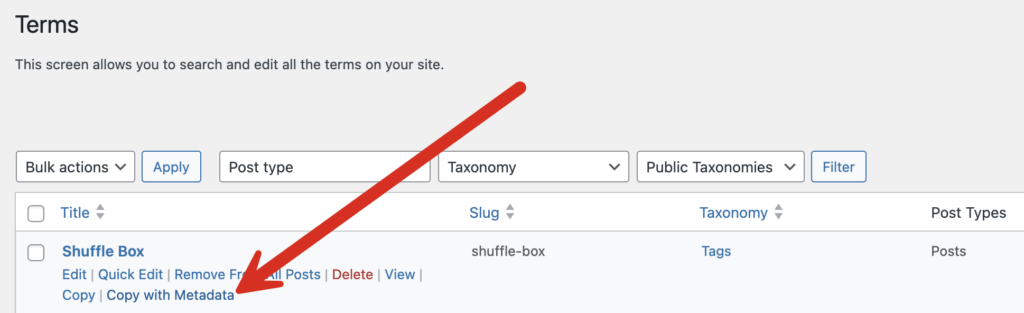
After installing the TaxoPress plugin, go to the “Terms” screen. You can click the “Copy” link next to any term. You will get a copy of the term that is attached to the same posts and taxonomy as the original term.
In the screenshot below you can see there is new term called “open source Copy”. It is attached to the same two posts as the original term. You can now rename that term and remove the “Copy” portion of the name.

It’s also possible to the term with any metadata that is attached to the term. This will bring over any metadata from plugins that add SEO data, fields, or other extra information to your terms.

Advanced Copy for Tags and Categories #
There is also a more advanced “Copy” feature available. If you choose “Copy” from the “Bulk actions” dropdown, you’ll be able to move the copy of your term to a new taxonomy.

Once you’ve selected the post, you’ll be able to choose a “Destination Taxonomy” from a dropdown. That option is shown in this screenshot below:

You will now see a copy of the term that is now attached to your new taxonomy. The term will not be attached to any posts.
