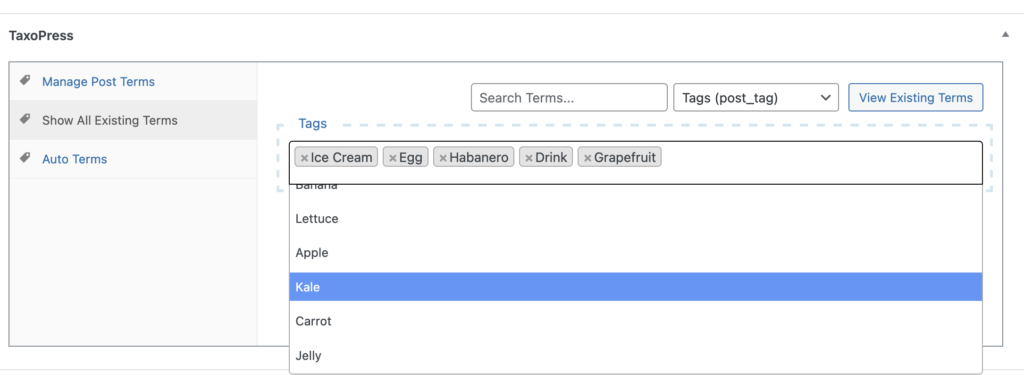
It’s possible to configure important options for the TaxoPress metaboxes under each post.
Enabling Metabox Features #
Go to TaxoPress > Metaboxes > Metabox Settings. There will be settings for “Posts”, “Pages” and other content types.
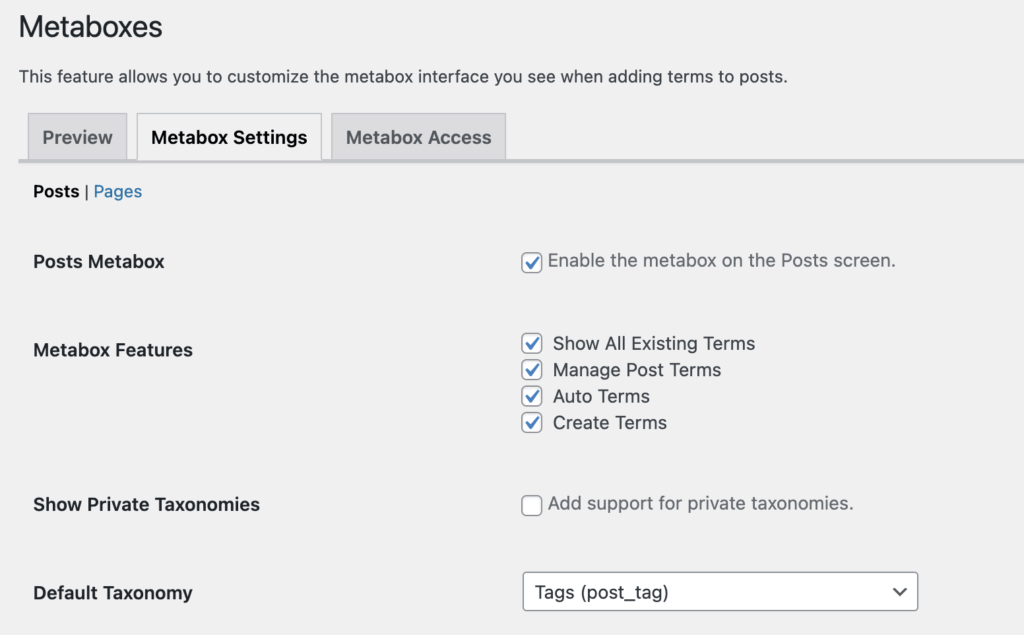
Scroll down the screen and you see options. For example, you can choose to show the number of times each term has been used (“Metabox Show Term Post Count”) or the slug for the term (“Show Term Slug”).
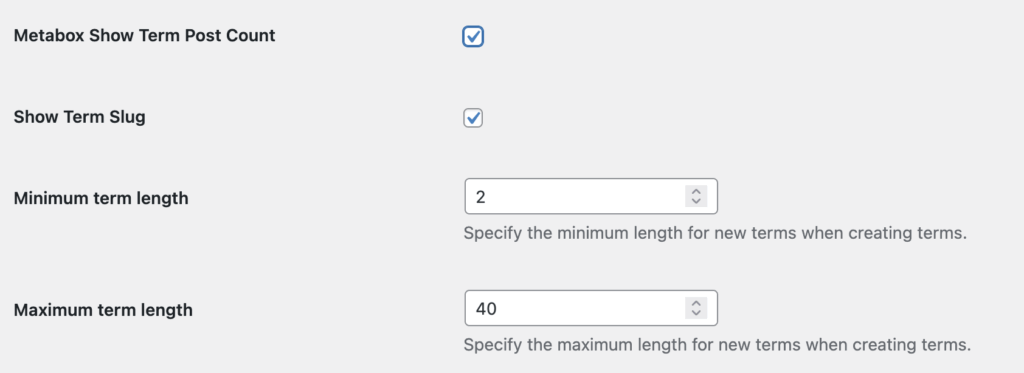
Further down the screen you can control settings such as minimum and maximum length of terms created.
Extra Display Options in TaxoPress Pro #
With TaxoPress Pro you can customize the TaxoPress metabox. You can use the TaxoPress Pro settings to customize this layout. In this screenshot, we use the “Taxonomy Display” option.
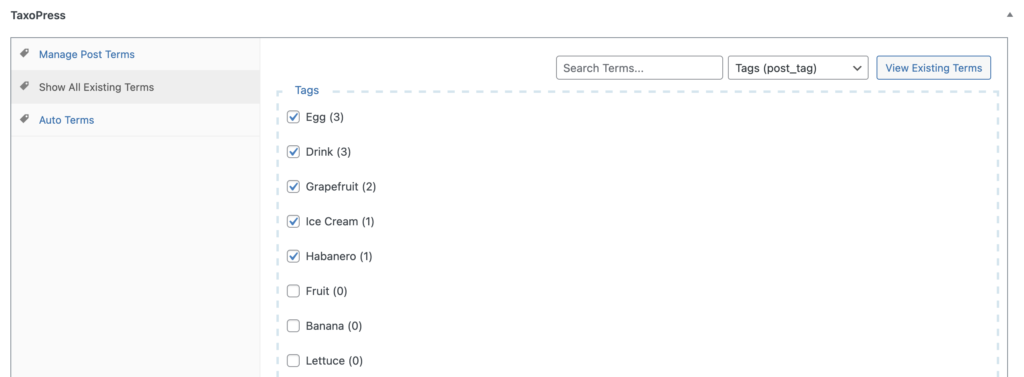
This next screenshot shows a “Checkbox” display. With this display it’s no longer possible to add any more Tags or Categories. The authors can only choose terms that already exist.
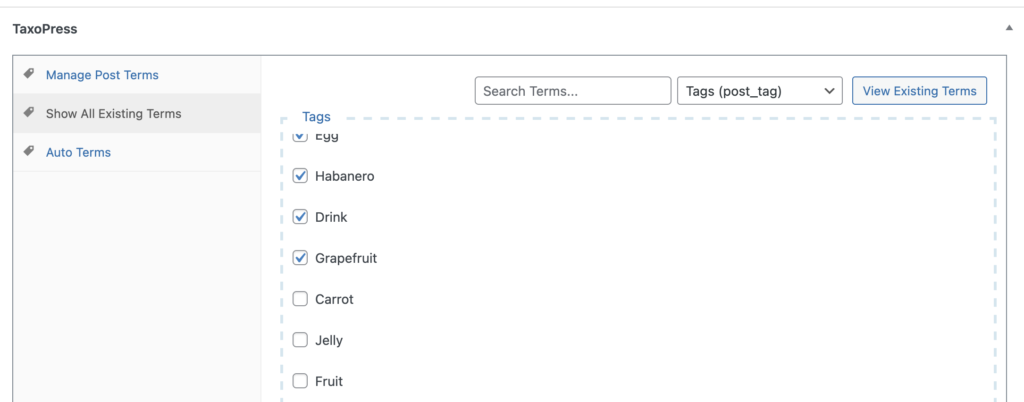
You can customize the appearance of this metabox. For example, this next screenshot shows the same terms, but organized by popularity. You’ll always see the most commonly-used terms on the top of the list.
This next screenshot shows another way to customize the metabox. You can choose a search box display. This is ideal if you have really large number of terms.