
The Terms Display feature in TaxoPress allows you to create a customizable display of all the terms in one taxonomy. With such a terms display you can show a cloud or list of the terms used on your site. For example, you can create a “Tag Cloud” showing all your WooCommerce product categories, or you can create a list of all the tags on bbPress topics.
Example of Terms Display #
The image below shows an example of Terms Display. The most frequently used terms are shown in a larger, darker font and less popular terms are shown smaller and lighter.

Edit or Add New Term Displays #
On the “Terms Display” screen, you’ll see all your term displays. You can click the title or the “Edit” link to edit the settings for this existing display.

On the “Terms Display” screen in the Pro version of TaxoPress Pro, you can click “Add New” and add your own display.
Editing Term Displays #
Inside each display you will find a preview, and a large number of customization options, as shown in this screenshot below.
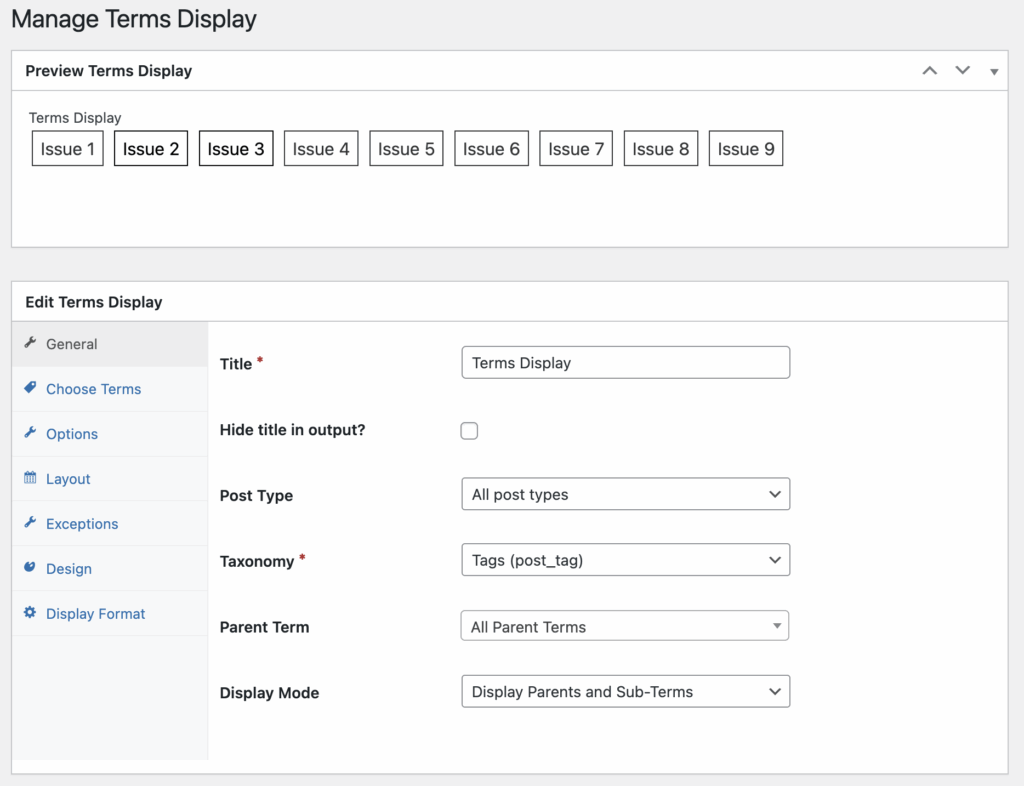
Every display can be shown in a shortcode, or inside a widget. In this example below, we have WooCommerce on the site and are showing a cloud of the most popular terms in the “Product Tags” category.
