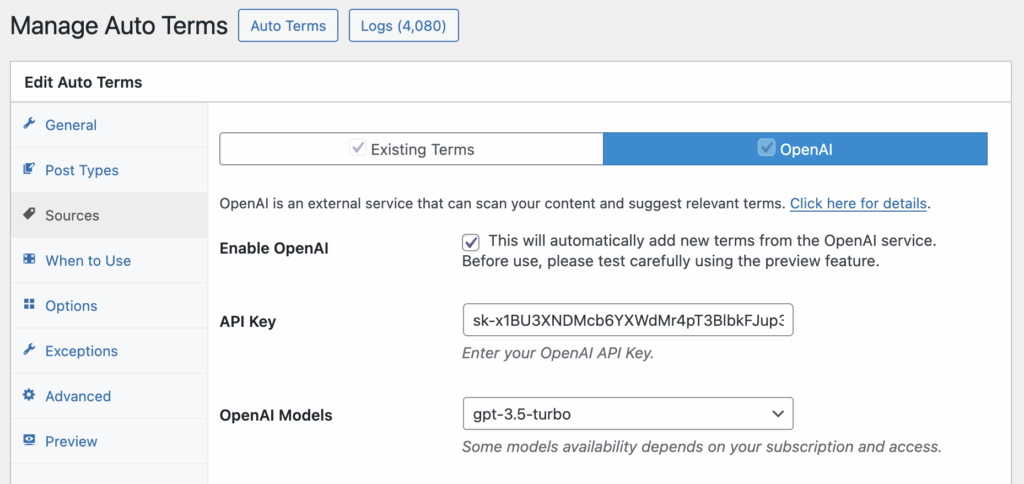
TaxoPress has a feature that can analyze your content and automatically add new terms. This will be very useful for anyone who creates a lot of content.
This feature works by integrating with OpenAI, IBM Watson, Dandelion or Open Calais systems to scan content and create terms.
An example of automatically adding new terms #
Let’s see an example of how this feature works. I’ve created a new post, using the text from the “About Us” page on WordPress.org.

When I publish this post, TaxoPress scans the post and adds new terms, as you can see in the image below:

This feature can work with any taxonomy and post type. For example, in the image below, I have a WooCommerce product. TaxoPress has scanned the content and added new terms into the “Product tags” area.

In the next screenshot, you can see an example with bbPress. In this example, TaxoPress used the Auto Terms feature to scan a new bbPress topic and automatically added new terms to the “Topic Tags” area.

How does this Auto Terms feature work? #
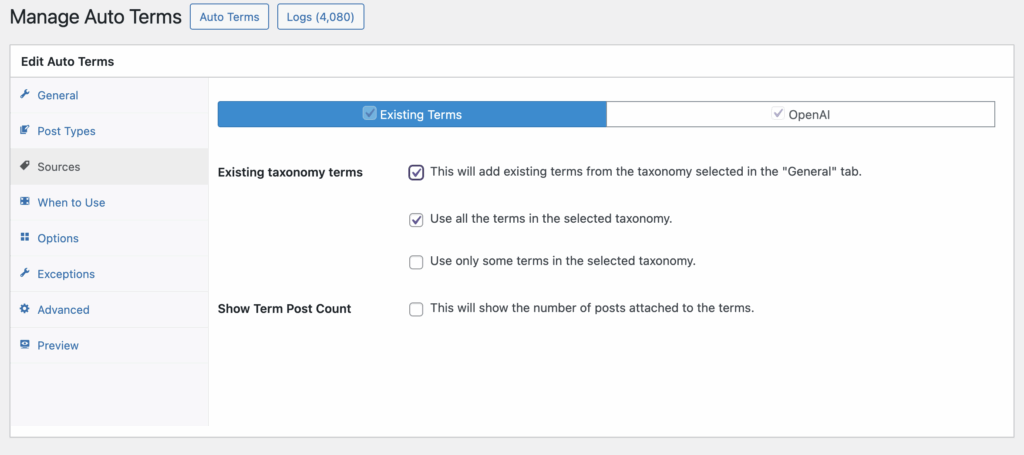
This Auto Terms feature to add new terms is built on top of external services. OpenAI is the default option. You can also enable IBM Watson, Dandelion, and LSEG/Refinitiv via the “Settings” area of TaxoPress. The option to use these services is available only in TaxoPress Pro.
Once you have an API key for OpenAI or another service, go to “TaxoPress”, then “Auto Terms” in your WordPress admin menu. You can enter your API key here on the “Sources” tab.