What’s New at TaxoPress to Start 2026?
TaxoPress 3.44 is available now. The Free version is available from the WordPress plugin directory and TaxoPress members can download the Pro version from this website.
The big new feature to start 2026 involves the “Auto Terms” feature.
Auto Terms is popular because it can automatically add relevant terms to your posts. For example, if your post is about WordPress, then TaxoPress can automatically add “WordPress” as a tag or category.
Now you can schedule this feature to run whenever you need it.
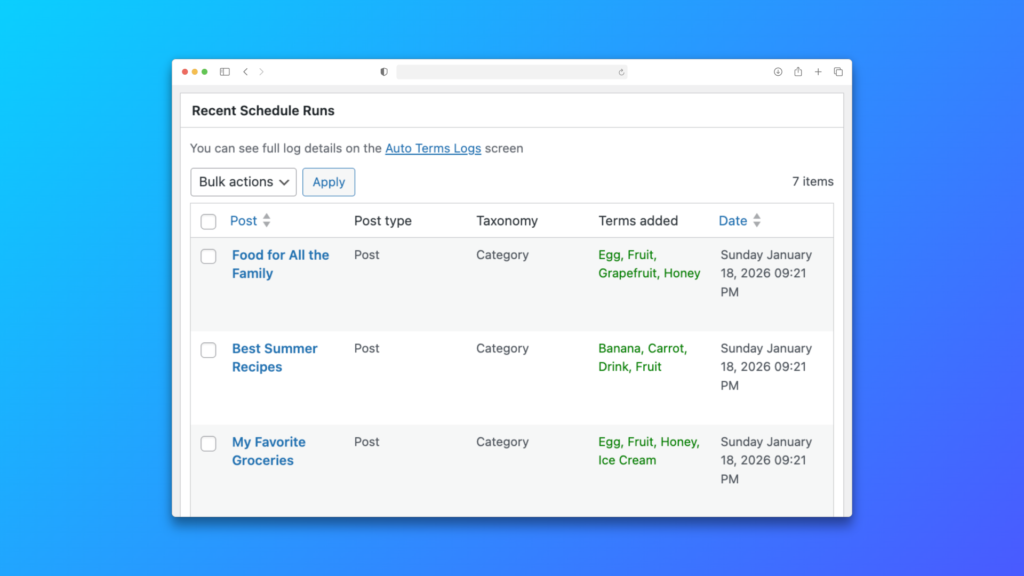
Table of Contents
The Auto Terms Schedule Feature is Free
Auto Terms can add relevant terms to posts. Now, thanks to the “Auto Terms Schedule” screen, you can automatically run this process every hour or day.
This feature was previously only available in TaxoPress Pro. It’s now available to all TaxoPress users!
TaxoPress users rely on Auto Terms Schedule to add terms to posts that are imported. Here are some typical requests:
- “I’m importing posts via the WordPress API. How can automatically add terms to those new posts?”
- “How can I add terms when I insert many products in WooCommerce through CSV file uploads?”
These situations are the best use of the Auto Terms Schedule feature. When you import new posts, that can require a lot of processing power from your server. First you import posts and then later you use Auto Terms Schedule to scan those new posts.

Whole Words Setting for Auto Links
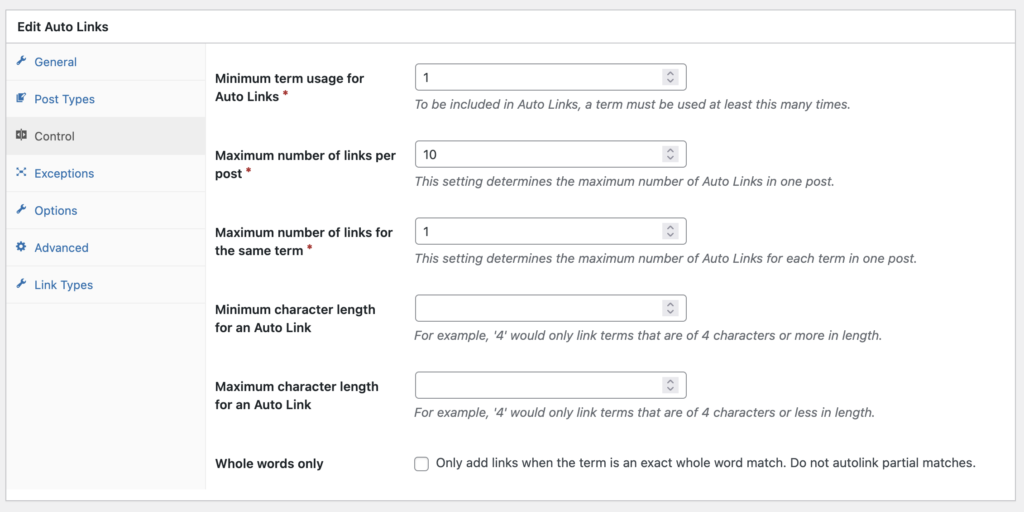
The Auto Links feature in TaxoPress will automatically add links to keywords in your post content.
For example, if you have a tag called “WordPress”, the Auto Links feature will find any instances of “WordPress” in your content and add links to the archive page for that term.
In this TaxoPress update, there’s a new feature called “Whole words only”. Now you can also choose to only add links for whole words, not partial matches. So if you have a term called “Word”, it will not be added to a post that contains “WordPress”.
Choose the Terms in Term Display
The Terms Display feature in TaxoPress allows you to create a customizable display of all the terms in one taxonomy. Here’s an example of a Terms Display:

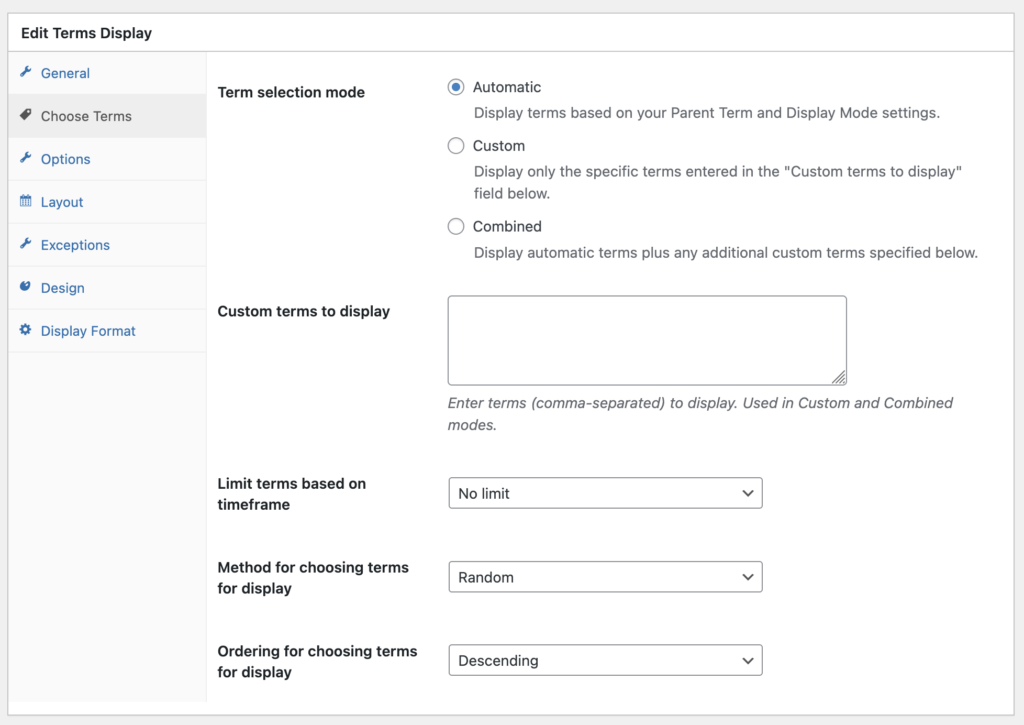
You can choose which terms will appear in your display, and how they will be sorted. Here are the options:
- Automatic: This will rely on settings selected under the “General” tab.
- Custom: This will display only the specific terms entered in the “Custom terms to display” field.
- Combined: This will display automatic terms plus any additional custom terms.
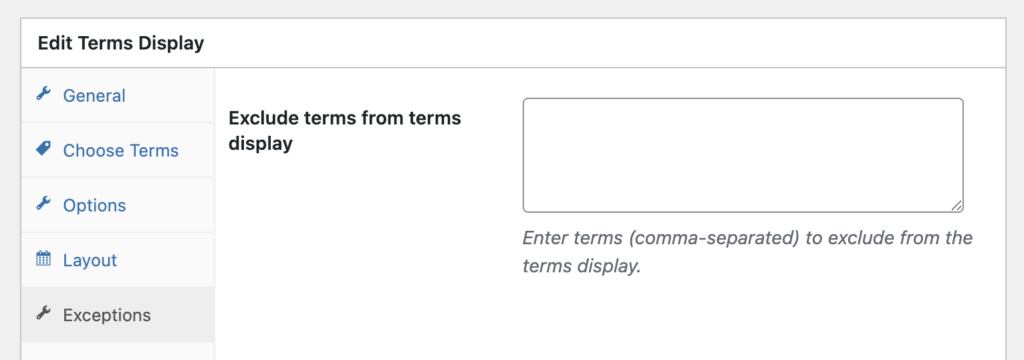
You can also choose which terms will NOT show in your display.
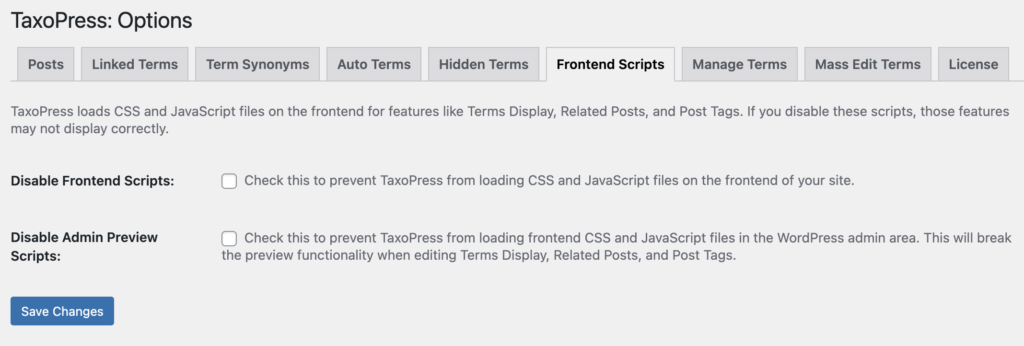
Disable Frontend Scripts
TaxoPress loads CSS and JavaScript files on the frontend of sites for features such as Terms Display, Related Posts, and Terms for Current Post. It’s now possible to disable these scripts if you want to make 100% sure that TaxoPress is only running in the admin area of your site.