
How to Use Commas in WordPress Tags and Categories
WordPress Tags, Categories and other taxonomy terms are in important part of WordPress. They are the best way to organize your WordPress content.
One question we regularly get from TaxoPress users is this: “Can I use commas in my WordPress Tags?” These users want to create terms like these:
- “Los Angeles, California”
- “Smith, John”
- “Faculty of Law, Humanities And Social Sciences”
The answer is yes – you can use commas in terms but with some limitations.
It is possible to use commas in terms, but only in some areas of the WordPress dashboard.
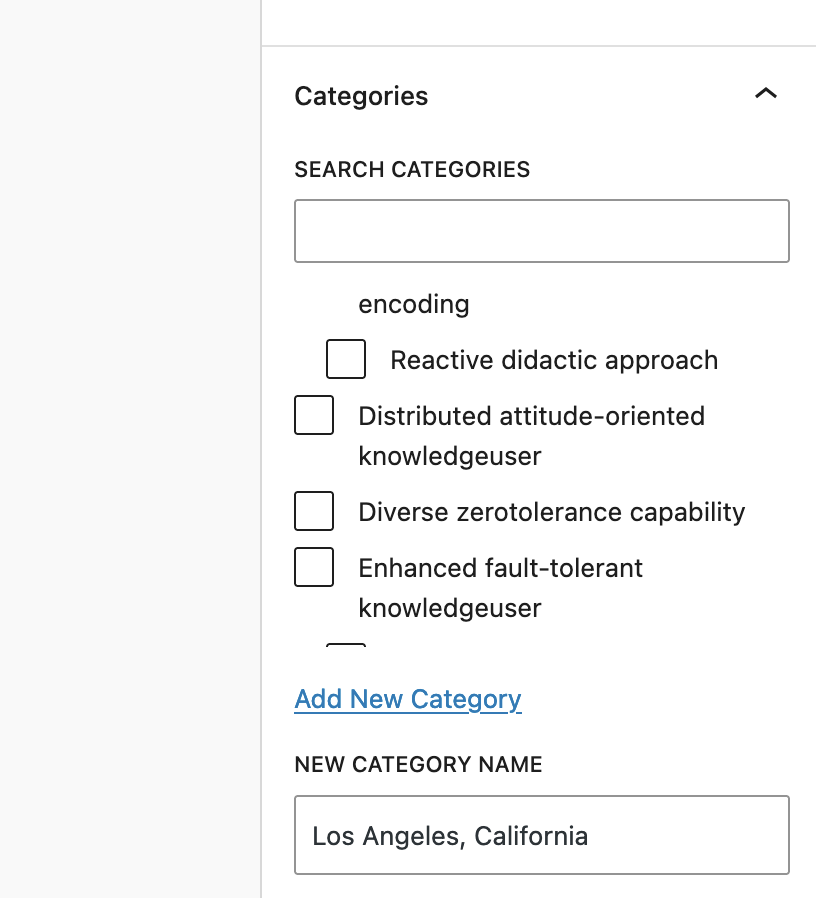
This means that it is possible to have Tags and Categories such as “Los Angeles, California”. The best way to create these terms is from the “Category” area or “Tags” area in your WordPress admin menu. In this image below, the Category will be created correctly. The slug for this will be /category/los-angeles-california.

You can also add Categories with comma while writing a post. In this screenshot below, the “Los Angeles, California” character will be created correctly.
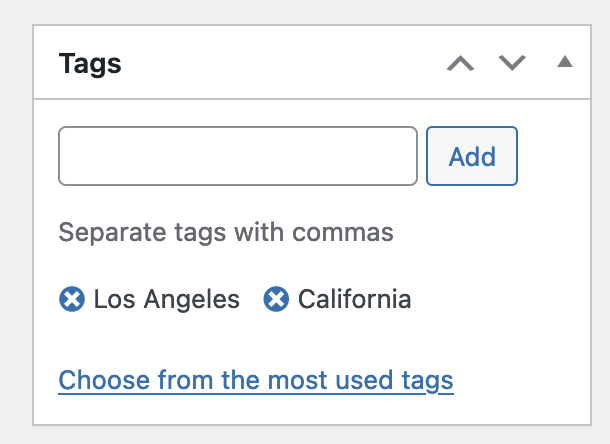
However, you can not add Tags with commas while you are editing a post. This is because the “Tags” box will immediately separate the phrase into two terms as soon as you add the comma. In this screenshot below, I tried to type “Los Angeles, California” but it was recorded as two separate words.

This next screenshot shows the same problem in the older “Classic Editor” format. There is an issue on the WordPress forums that has been discussing this for several years.
WordPress will allow you to add almost any character as a taxonomy term. However, I recommend being careful. Because of the way these characters are encoded, terms with commas may not always play nicely with third party plugins and themes. If you do add commas, keep an eye out in case they are not being displayed correctly.